
Ondex · XRP Ledger guide
A self-custody XRP wallet built for XRP Ledger
Create or import an XRP Ledger account, send and receive XRP, manage supported assets, and review every transaction before signing on your device.
Available on iPhone and Android. Last reviewed .
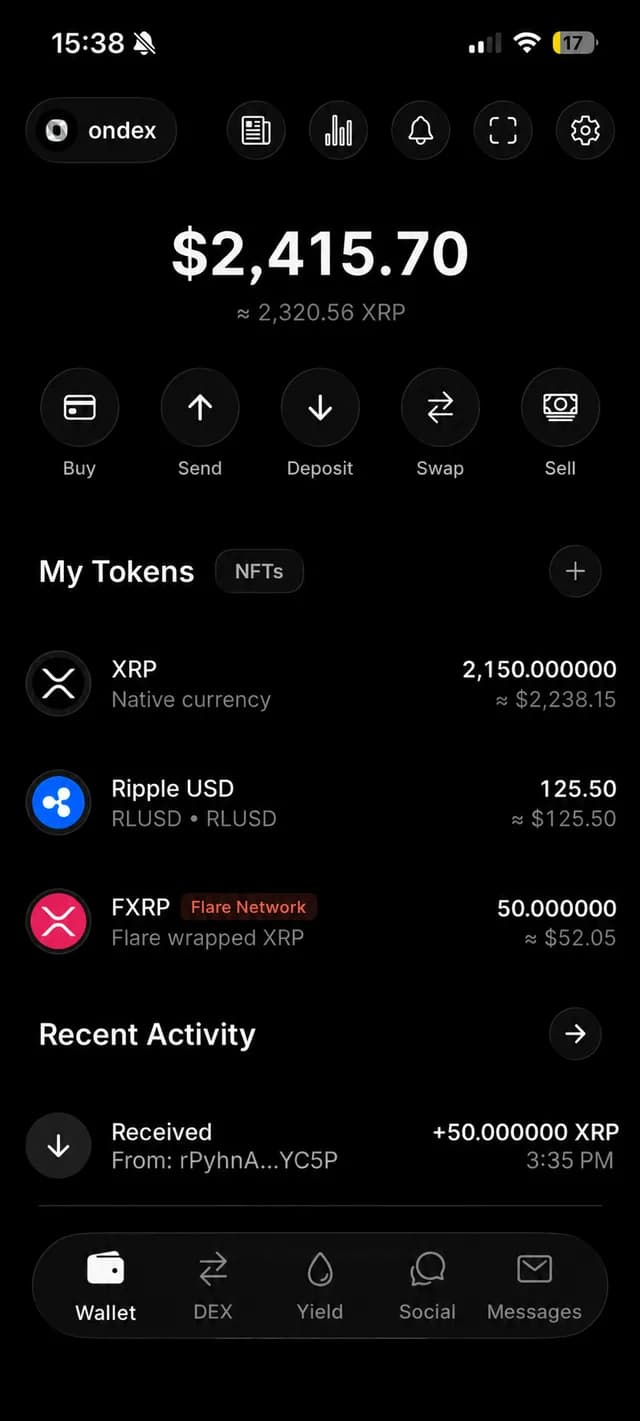
What an XRP wallet actually controls
XRP is recorded on the XRP Ledger, not stored inside a wallet app. A wallet manages the credentials that authorize changes to an account. Ondex uses those credentials locally to prepare and sign the transaction you review; its backend services do not need your recovery phrase or private key.
That distinction matters. Deleting an app does not delete the ledger account, but losing the only valid backup can remove your ability to authorize it. A wallet interface can make account activity understandable; it cannot rewrite validated ledger history or recover a secret it never received.
Create or bring an existing XRP account
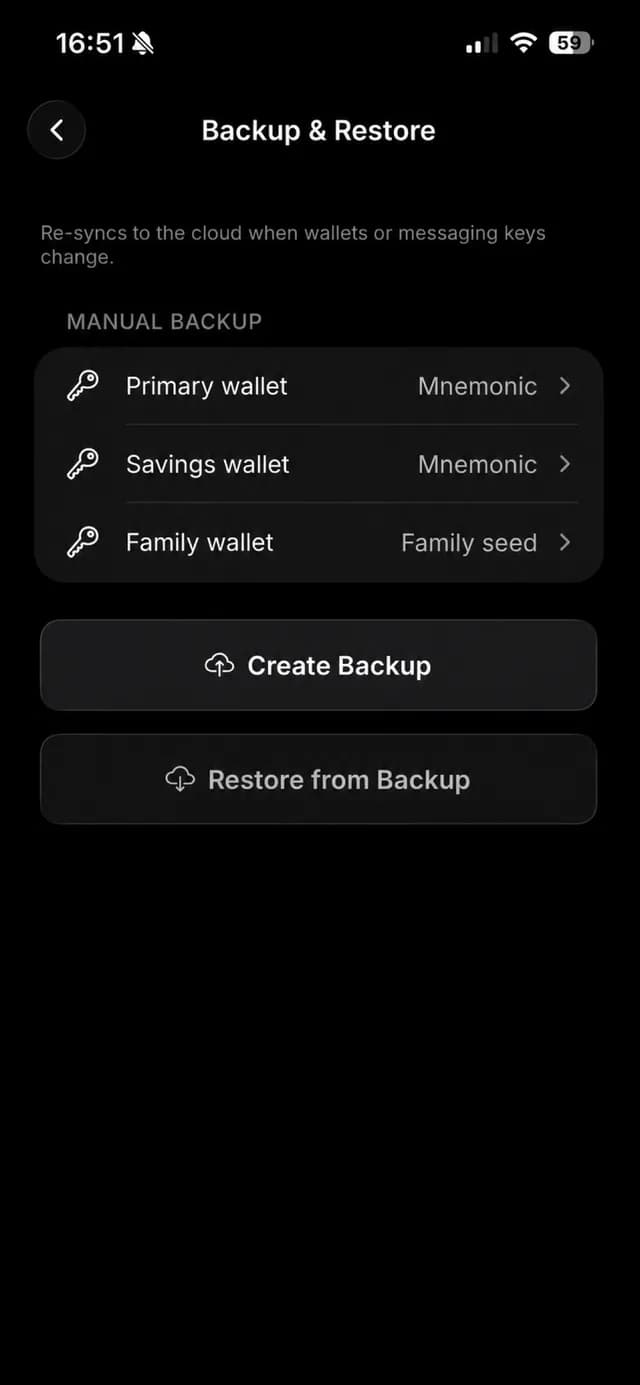
Ondex can create a new software wallet or import supported XRPL secret formats, including a BIP39 mnemonic, family seed, Xaman Secret Numbers converted locally, or an XRPL private key. Watch-only and supported Tangem flows have different signing boundaries, so confirm the account type before funding it.
Back up access before moving meaningful value. Ondex supports manual recovery material plus encrypted file or cloud backup flows. Cloud copies are encrypted with a user-chosen password; support cannot replace that password or reconstruct the underlying account secret.
Send, receive and review
Use the wallet to send or receive XRP and supported XRP Ledger assets. When a destination requires a tag—commonly an exchange deposit—the tag is part of the destination details and should be checked as carefully as the address. Memos may be public on the ledger, so they should never contain secrets or private personal information.
Before signing, review the network, source wallet, asset identity, amount, destination, destination tag when present, and network fee. Issued assets are identified by currency and issuer together; a familiar ticker alone is not enough to establish identity.
Self-custody means responsibility
Self-custody removes a custodian from the signing path, but it does not remove risk. Protect the device and backup, distrust unexpected requests, verify the official publisher before installing, and slow down when a transaction asks for permissions or account changes you do not understand.
Validated XRP Ledger transactions are generally final. Read the Ondex security evidence and known limitations before importing an account or moving funds.
Explore more XRP Ledger tools
A broad wallet choice is only the start. Use the related guides below when your real task is iPhone setup, XRPL-issued assets, payment requests, swaps, order books, or AMM pools. Each guide focuses on the checks that matter for that workflow.
Current product evidence
See the review surface
Continue with context
Related XRP Ledger guides
Place and manage limit orders
Follow the mobile order-book, review and cancellation flow.
Use encrypted messaging
Check recipient identity, public metadata and messaging-key recovery.
Follow news and price alerts
Understand sources, alert rules and notification limits.
Review Ondex security boundaries
Understand local signing, backup responsibility and known limitations.
Set up an XRP wallet on iPhone
See the iOS-specific install and setup checklist.
Explore the XRPL account model
Learn about issued assets, trustlines, NFTs and compatible dApps.
Send, receive and request XRP
Use QR codes, destination tags and payment requests carefully.
Choose a wallet by use case
Compare custody, device, signing frequency and XRPL depth.
Compare Ondex and Xaman
Use a disclosed, source-backed workflow comparison.
Practical answers
Frequently asked questions
Primary references
Ondex for iPhone and Android
Review first. Sign on your device.
Ondex is a self-custody wallet interface. Transactions are reviewed and signed on the user's device. Network, issuer, liquidity and third-party conditions can affect availability, fees, timing and outcomes. This page is informational and not financial advice.