
Ondex · XRP Ledger guide
Send, receive and request XRP
Share an address or payment request, review the amount and destination details, and sign XRP Ledger payments from your own wallet.
Available on iPhone and Android. Last reviewed .
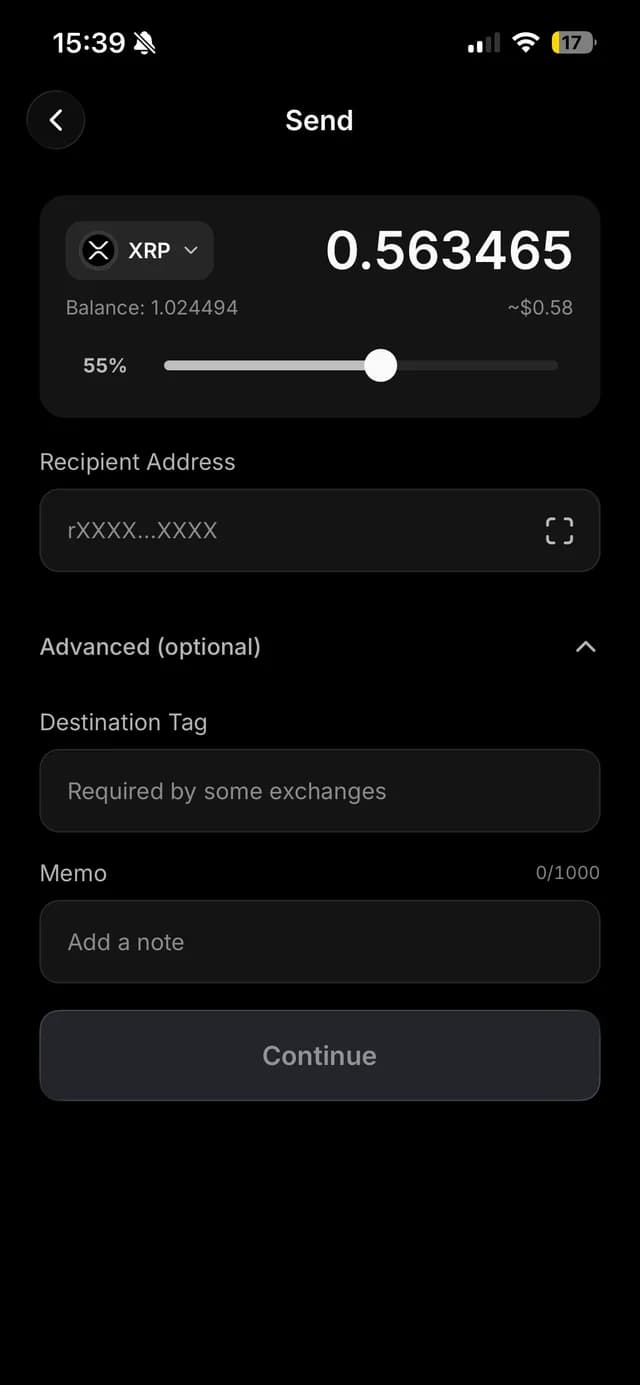
Send XRP with destination details visible
A send starts with the active network, source account, destination address, amount and network fee. Some recipients—especially exchanges and shared services—also require a destination tag to credit the right customer. Ondex checks the address format and keeps the tag visible through review.
A memo written to XRP Ledger can be public. Use it only when the recipient's workflow requires it and never place a seed, private key, PIN, backup password or sensitive personal data in a memo.
Receive with QR or address
The receive screen can present the current XRPL address as text and QR for copying or sharing. A QR reduces typing, but it does not independently prove who controls the destination. Confirm the intended recipient through a trusted channel before sending.
When a service gives you an address plus destination tag, both values matter. A QR or payment link should be decoded into visible destination details before you approve the payment.
Create a payment request
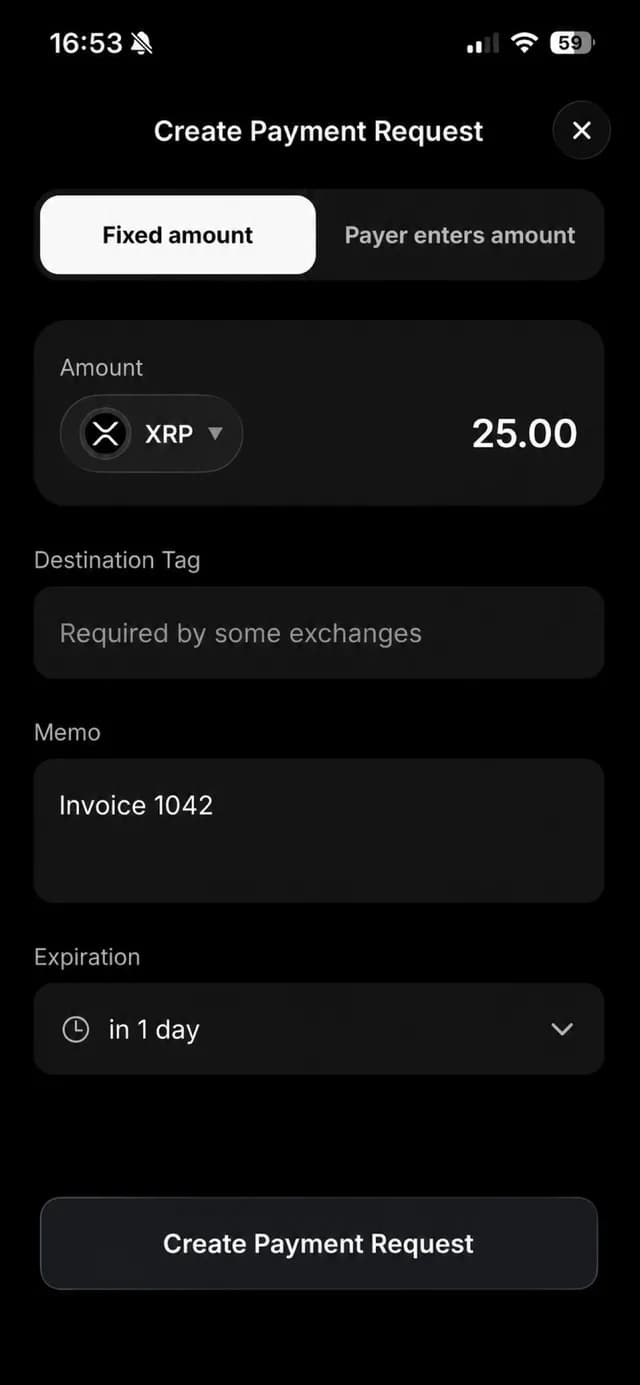
Ondex can create a canonical request for a fixed amount or, where the current flow allows, let the payer enter the amount. The request can carry the asset identity, destination details, optional public memo and an expiry from one hour to 30 days without moving or locking funds when it is created.
Once payment begins, the request lifecycle prevents the same screen from encouraging an accidental duplicate. Fulfilment is determined from validated transaction data and can expose a receipt without publishing the payer's private wallet state.
Pay from a supported source asset
A direct same-asset request uses a normal payment path. Routed exact-receive requests remain feature-gated and are not promised by this page. When a source differs from the requested asset, availability depends on the public release gate, validated route, balance, issuer controls and strict spend bounds.
If the app cannot establish a safe supported path, it leaves the request unpaid rather than guessing. Review the exact source spend and destination delivery before signing any routed payment.
Payments remain self-custody transactions
Creating a request does not give Ondex custody and does not move funds. The payer authorizes a transaction from their own account. Ondex does not guarantee that a third-party merchant or exchange will credit a transfer, especially when destination details are wrong or their service is unavailable.
A validated XRP Ledger payment is generally final. Verify the network, address, tag, amount, asset and fee before local signing, and use the smallest practical test amount when learning a new recipient workflow.
Current product evidence
See the review surface
Continue with context
Related XRP Ledger guides
Understand self-custody first
See what the wallet controls and why backup matters.
Install Ondex on iPhone
Use the direct App Store and desktop QR flow.
Learn the XRPL account model
Understand destination tags, issued assets and reserve.
Review payment signing boundaries
See local signing and irreversible-transaction limits.
Practical answers
Frequently asked questions
Primary references
Ondex for iPhone and Android
Review first. Sign on your device.
Ondex is a self-custody wallet interface. Transactions are reviewed and signed on the user's device. Network, issuer, liquidity and third-party conditions can affect availability, fees, timing and outcomes. This page is informational and not financial advice.