
Ondex · XRP Ledger guide
Use the XRP Ledger DEX from your wallet
Place limit orders, manage open offers, or review an immediate swap in the Ondex mobile app. Check asset identities, price, amount and fees before signing on your device.
Available on iPhone and Android. Last reviewed .
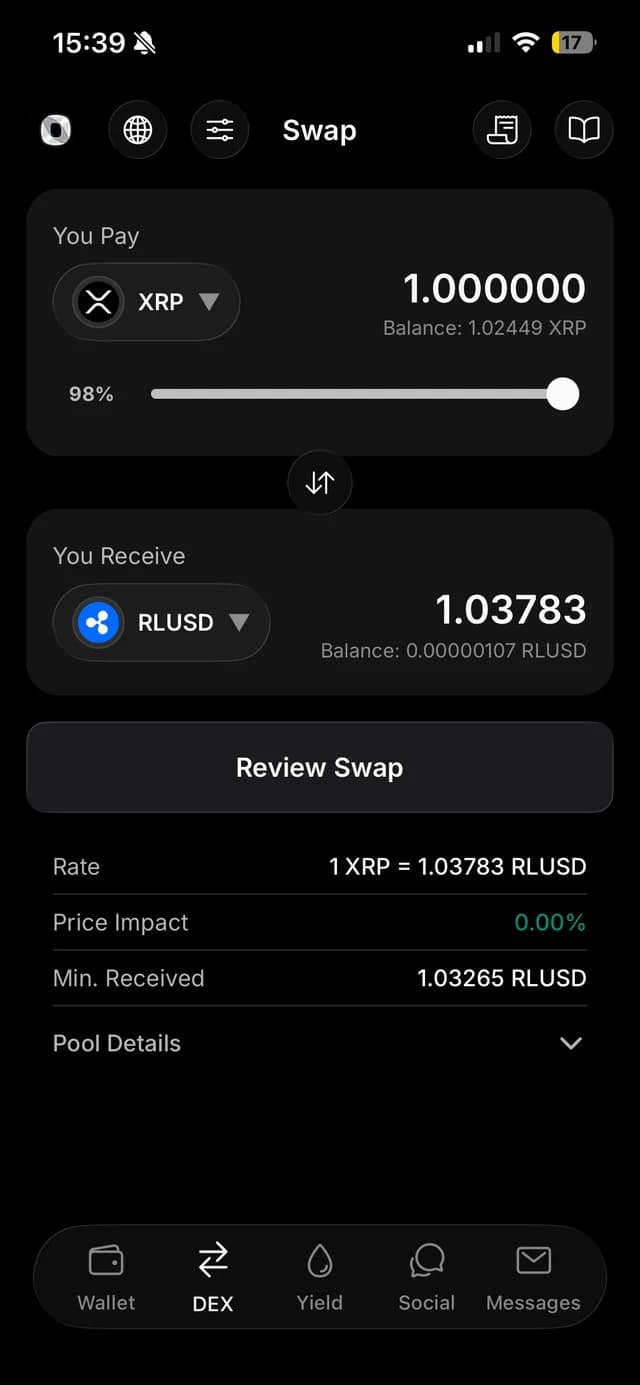
Can I place limit orders with Ondex?
Yes. Ondex has separate mobile flows for swaps and limit orders on the XRPL order book. A swap seeks an executable quote now. A limit order specifies a price; it may fill immediately, fill partly, or leave an open offer until it is filled, cancelled or expires. Execution is not guaranteed.
- In the Ondex app, open Trade and the order book for your pair. Choose Buy or Sell, then Limit Order; tapping an order-book price can prefill a limit order.
- Check both asset identities and issuers. Set the price and amount, then review order settings, reserve impact and fees before authorizing on your device.
- Open My Orders to inspect the remaining amount and any partial fill. To cancel an open order, choose its cancel action, review and authorize it, then check the validated result. Cancellation cannot undo an amount already filled.
The DEX is native to XRP Ledger
The XRP Ledger has a protocol-level decentralized exchange. Offers form order books, and AMM pools can contribute liquidity to payments and trades. You do not need a separate custodial exchange account to authorize a native XRPL transaction, but you do need to understand the assets and limits it contains.
Ondex exposes market-order-style swaps and limit-order flows as different journeys. A swap seeks an executable route now; a limit order may cross current liquidity or remain on ledger as an open Offer object until filled, cancelled or expired.
What Ondex compares before review
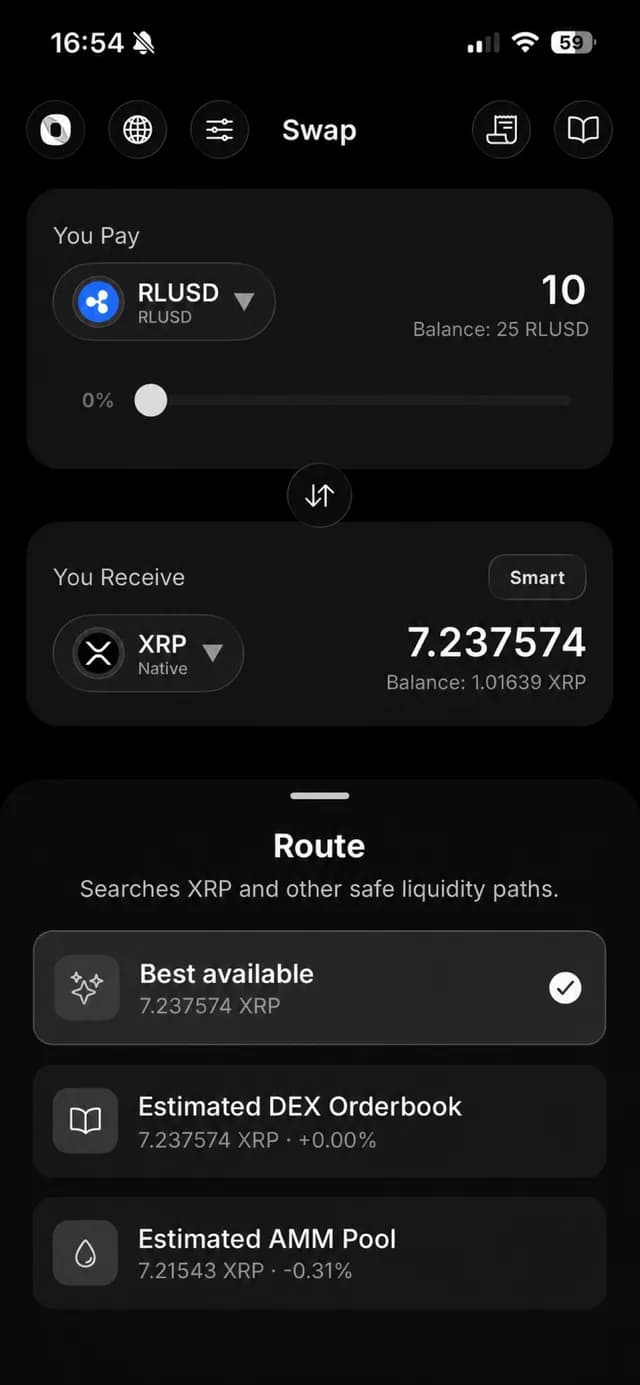
Smart Routing compares executable estimates from supported order-book, AMM and validated pathfinding strategies. Quotes are bound to the exact source and destination asset identities, network, ledger context, amount, fee policy and expiry. An indicative or stale quote cannot move directly into signing.
The displayed route or venue is a pre-sign estimate. Ondex validates authoritative metadata after execution rather than promising that a preview label guarantees the final liquidity source. Market conditions can change between quote and validation.
Asset and issuer review
For every issued asset, inspect both the currency code and issuer. Anyone can issue a token with a familiar-looking symbol. A verified label can help orient the interface, but the ledger identity remains the currency-and-issuer pair.
Issuer settings can include authorization, freeze or transfer conditions. Trustline state and remaining receive capacity can also block a trade. Ondex repeats relevant checks before review, before signing and before submission for supported flows.
Swap or place a limit order
Choose a swap when you want to compare currently available routes with an estimated output and minimum-received boundary. Choose a limit order when you want a specific price and accept that an unfilled remainder can stay on ledger and consume owner reserve.
Both actions are transactions, not price alerts. Review the source amount, destination amount or limit price, asset identities, trustline preparation, fee, sequence and expiry before authorizing on the device.
DEX risks to understand
Liquidity can disappear, slippage can increase, issuer controls can change and a trustline can be missing or full. Open offers and new trustlines affect reserve. Network fees apply even when the market outcome is not what you hoped for, and validated transactions are not generally reversible.
Ondex provides review and bounded transaction construction; it does not guarantee best execution, a specific venue, continuous liquidity or an asset's quality. If the quote or issuer context is unclear, do not sign.
Current product evidence
See the review surface
Continue with context
Related XRP Ledger guides
Understand XRPL assets first
Review trustlines, issuer identity and account reserve.
Review a swap involving XRP
Focus on quote details and minimum received.
Compare token-to-token routes
See intermediary paths and receive capacity.
Explore XRPL AMM pools
Separate swapping from liquidity provision and its risks.
Practical answers
Frequently asked questions
Primary references
Ondex for iPhone and Android
Review first. Sign on your device.
Ondex is a self-custody wallet interface. Transactions are reviewed and signed on the user's device. Network, issuer, liquidity and third-party conditions can affect availability, fees, timing and outcomes. This page is informational and not financial advice.