
Ondex · XRP Ledger guide
Looking for a Xaman alternative?
Compare Ondex and Xaman by the XRP Ledger workflows you actually use, then verify current features and backup responsibilities before moving an account.
Available on iPhone and Android. Last reviewed .
Start with the workflow, not the brand
Both products describe self-custody mobile workflows for XRP Ledger, so the useful question is not which logo wins. List the actions you need—account import, daily payments, issued assets, swaps, offers, AMMs, dApps, backup or hardware—and verify how each current release handles them.
Do not move an existing account solely because a page says 'alternative.' Test the new interface, confirm the publisher and backup model, and understand whether importing the same secret into another app expands the number of devices and code paths that can access it.
Comparison methodology and disclosure
This comparison was reviewed on October 15, 2026 using Ondex's maintained product documentation and approved product captures, plus Xaman's official website and Help Center. Unverified workflows are marked explicitly and do not imply a missing feature. Provider features and availability can change after the review date.
Ondex Labs LLC publishes this page and may benefit if a reader downloads Ondex. Ondex is not affiliated with Xaman or XRPL Labs. No anonymous reviews, third-party rankings, ratings or competitor artwork are used as evidence.
Ondex and Xaman at a glance
The table is a workflow map, not a scorecard. A capability listed for both products can still differ in interface, supported transaction types, fees, release gates or account preparation. Follow the primary source links and current store listing before relying on a row.
Self-custody and backup responsibility
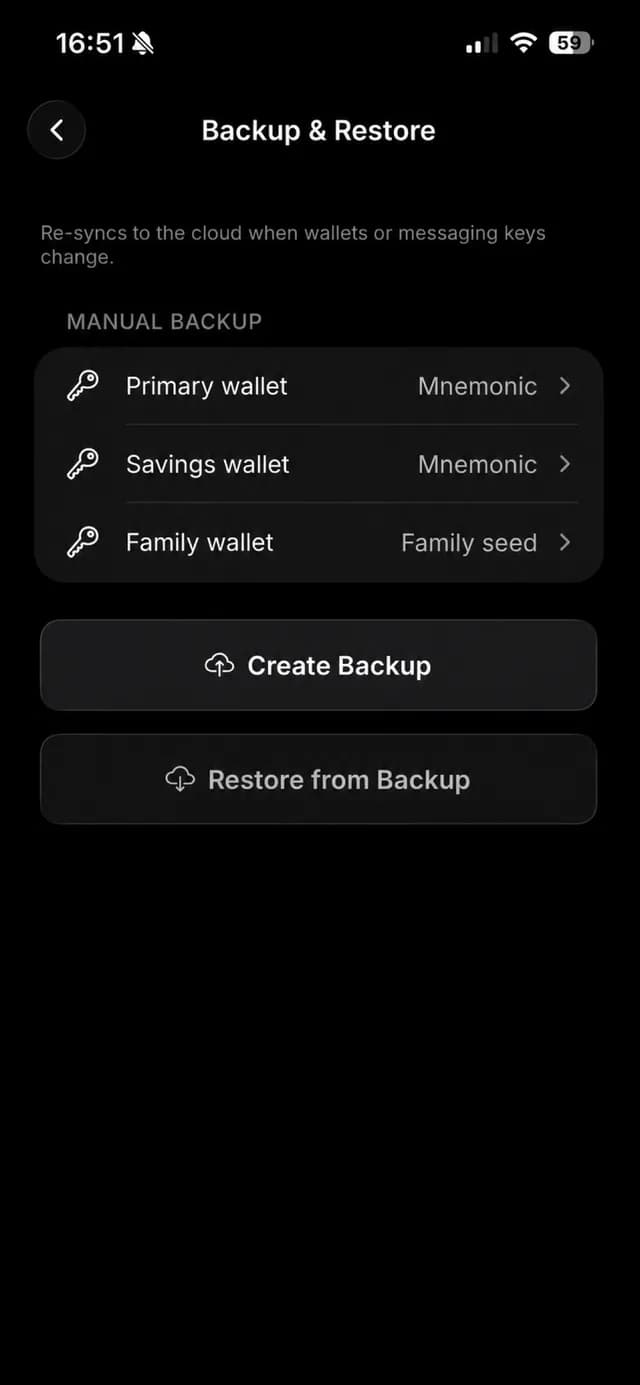
Ondex keeps software-wallet signing material on the device and supports manual plus password-encrypted file and cloud backup flows. Xaman describes account secrets as the credentials for full XRPL account access and supports Secret Numbers, family seeds and mnemonics for account import.
Neither self-custody model turns support into a recovery authority. Xaman's Help Center says lost account secrets cannot be recreated by an XRPL administrator; Ondex likewise cannot recover a phrase, key or backup password it does not possess.
XRPL trading, payments and ecosystem access
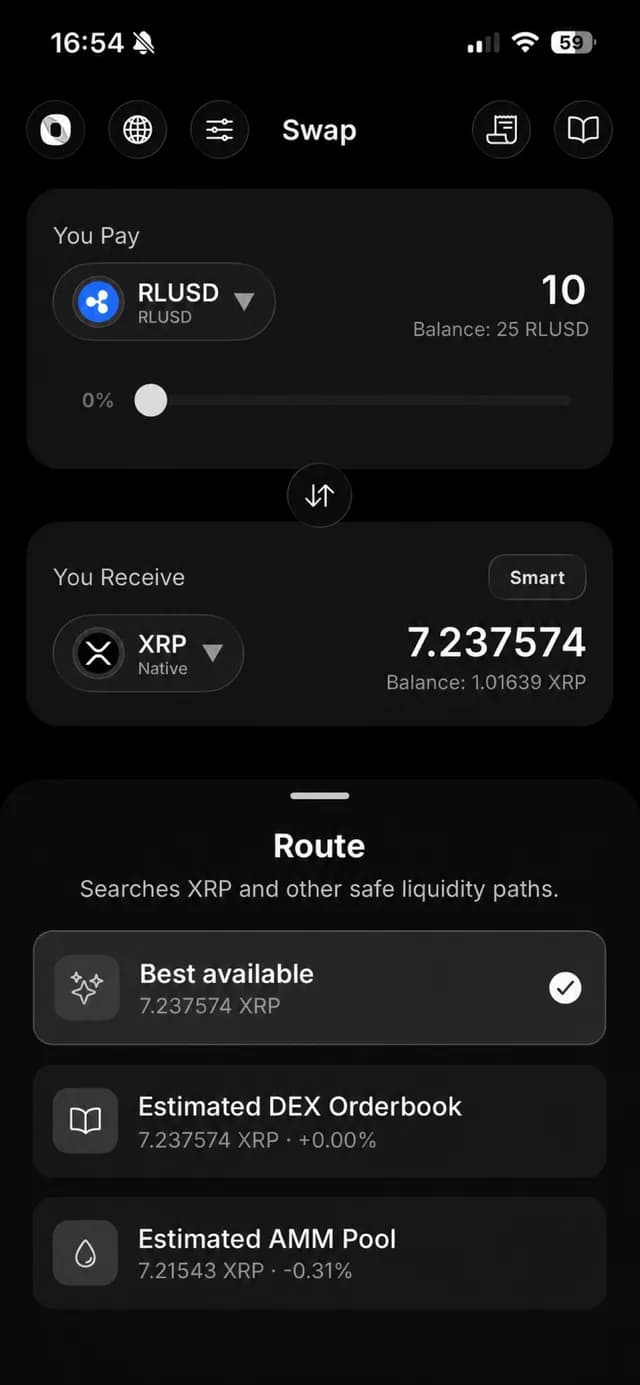
Ondex exposes supported send, receive, payment-request, order-book, swap and AMM screens directly in its mobile experience. Xaman's official sources describe native XRP and issued-token support, xApps, DEX trading, pathfinding and a current Xaman Swap flow using XRPL DEX and AMM liquidity.
That overlap does not make the products identical. Compare the exact transaction review, fee disclosure, issuer context, trustline handling, dApp integration and route bounds you need in the current versions.
Import or migration considerations
Ondex supports BIP39 mnemonics, XRPL family seeds and locally converted Xaman Secret Numbers among its software import formats. Xaman documents full-access and read-only imports for Secret Numbers, family seeds and mnemonics. Compatibility does not guarantee that every local label, profile, notification or app-specific setting migrates.
Importing one account secret into two wallet apps means both installations must remain secure. A safer operational choice can be creating a new account in the destination wallet and transferring assets deliberately, but that requires new trustlines, NFT transfers and careful destination review. Choose based on your threat model rather than convenience alone.
When Ondex may be a fit
Ondex may fit if you want an XRPL-focused iOS or Android interface that combines supported wallet, payment-request, DEX, AMM, NFT, WalletConnect and Ondex Names workflows with on-device transaction review. Review its current public security page and App Store listing before importing.
When another wallet may be a better fit
Xaman may fit users who prioritize its established xApp ecosystem, Xahau support, Xaman Cards or existing integrations. A dedicated hardware wallet may fit better than either mobile software wallet when physical key isolation is the primary requirement. A multi-chain wallet may fit users who value broad network coverage over XRPL-specific depth.
Primary sources and last reviewed date
Last reviewed: October 15, 2026. Sources include the Xaman website, Xaman Help Center pages for account import, biometrics, supported tokens and xApps, Xaman's June 2026 swap announcement, the Ondex security page, and maintained Ondex wallet and DEX documentation.
Source-backed comparison
Compare the workflow, not a score
| Workflow | Ondex | Xaman |
|---|---|---|
| Custody | Self-custody; software signing material stays on device. | Official site describes a self-custody wallet with keys on device. |
| Existing XRPL account | Imports supported mnemonic, family seed, Secret Numbers and private-key formats. | Help Center documents full-access or read-only imports for supported secret formats. |
| Biometrics | Optional Face ID, Touch ID or fingerprint when device-supported. | Optional device-managed face or fingerprint authentication. |
| DEX and swaps | Native screens for supported swaps, order books and AMM-aware routes. | Official sources describe DEX xApps and Xaman Swap using XRPL DEX/AMM liquidity. |
| Ecosystem | Compatible XRPL dApps through supported WalletConnect requests. | Official sources emphasize XRPL/Xahau projects and the xApp ecosystem. |
| Payments | Send, receive and create payment requests with on-device review.Ondex guide | Official Help Center documents XRP and issued-token use.Official source |
| Limit orders | Separate order-book placement, open-order management and cancellation screens.Ondex guide | Not verified here for the exact placement and cancellation workflow. Review the relevant xApp; swap support alone does not establish it.Official source |
| AMM positions | Pool browsing, add/remove liquidity and My Positions in the mobile app.Ondex guide | Official Swap material confirms AMM swap liquidity. The exact LP deposit/withdrawal workflow was not verified here.Official source |
| NFTs | Manage supported XRPL NFTs in the app.Ondex guide | Check the current xApp and transaction flow; feature parity was not verified in this review.Official source |
| WalletConnect | Compatible XRPL sessions with proposal review and per-request approval.Ondex guide | The reviewed sources describe xApps; WalletConnect parity was not verified here.Official source |
| Encrypted messaging | End-to-end encrypted chat; ledger metadata remains public. Separate messaging-key backup matters.Ondex guide | An equivalent encrypted chat and recovery flow was not verified in the reviewed official sources.Official source |
| Backup and hardware | Manual and encrypted backup options; check supported hardware and exact signing flow separately.Ondex guide | Official sources describe account-secret imports and Xaman Cards. Verify the current recovery model before choosing.Official source |
| Networks | XRPL-focused wallet with separately gated cross-chain provider flows. | Official Help Center states focus on XRP Ledger and Xahau. |
Current product evidence
See the review surface
Continue with context
Related XRP Ledger guides
See limit-order management
Review the separate order placement and cancellation flow.
Check messaging and recovery
Read the encryption boundaries before comparing messaging features.
Review Ondex wallet fundamentals
Understand self-custody, import, backup and payments.
Choose by wallet use case
Compare mobile, hardware, multi-chain and XRPL-focused needs.
Read Ondex security boundaries
Check storage, local signing and known limitations.
Read the broader wallet comparison
See the extended source-backed product analysis.
Practical answers
Frequently asked questions
Primary references
- https://xaman.app/
- https://xaman.app/blog/swap
- https://help.xaman.app/app/getting-started-with-xaman/importing-your-account
- https://help.xaman.app/app/getting-started-with-xaman/how-to-configure-biometrics
- https://help.xaman.app/app/learning-more-about-xaman/supported-tokens
- https://help.xaman.app/app/all-about-xapps/xumm-xapps
Ondex for iPhone and Android
Review first. Sign on your device.
Ondex is a self-custody wallet interface. Transactions are reviewed and signed on the user's device. Network, issuer, liquidity and third-party conditions can affect availability, fees, timing and outcomes. This page is informational and not financial advice.