
Ondex · XRP Ledger guide
Choose an XRP wallet by how you use XRP Ledger
The best fit depends on custody, device, backup, XRPL feature depth and how often you sign. Use this checklist before choosing any wallet.
Available on iPhone and Android. Last reviewed .
There is no universal best XRP wallet
A wallet that is convenient for daily XRPL activity is not automatically the right place for long-term keys, and a hardware signer is not automatically the fastest interface for frequent DEX review. Start with the job you need to perform, then compare custody and recovery trade-offs.
This page is a short decision tool. Use the task matrix below, the dedicated Ondex/Xaman comparison for those two apps, and the linked editorial article for XRP versus EVM/MetaMask context.
Choose by custody model
With self-custody, you or your supported hardware signer hold the credentials that authorize the XRPL account. A custodial platform controls the withdrawal keys and applies its own access rules. Decide which model you intend before comparing feature lists.
Self-custody requires a backup you can protect and understand. Custody by a third party introduces counterparty, access and policy risk. Neither model makes transaction or asset risk disappear.
Choose by device and signing frequency
A mobile software wallet can fit regular payments, token review and dApp requests because the interface and signer travel together. Dedicated hardware can fit infrequent, higher-consequence signing where physical separation and deliberate confirmation matter more than speed.
Some users split roles: a smaller active wallet for frequent activity and separate hardware-backed custody for reserves. That adds operational complexity, so use it only if you can manage multiple backups and addresses without confusion.
Choose by XRPL feature depth
If you only send and receive native XRP, destination-tag clarity and reliable backup may matter more than advanced screens. If you use issued assets, DEX offers, AMMs, NFTs or compatible dApps, confirm that the wallet exposes currency-and-issuer identity and the relevant ledger transaction details before signing.
Multi-chain breadth can be useful, but support for XRP does not automatically include every XRPL-native object or workflow. Test the exact feature you need with current provider documentation.
Choose by backup model
Compare how a wallet creates, displays, imports and restores account secrets; whether encrypted cloud or file backups exist; how hardware recovery works; and what support cannot recover. Complete the backup before funding the account, not after the first device problem.
Avoid any provider that asks you to send a recovery phrase to support or enter it on a website. Importing the same secret into several apps widens the surface that must remain secure.
When Ondex may fit — and when hardware may fit better
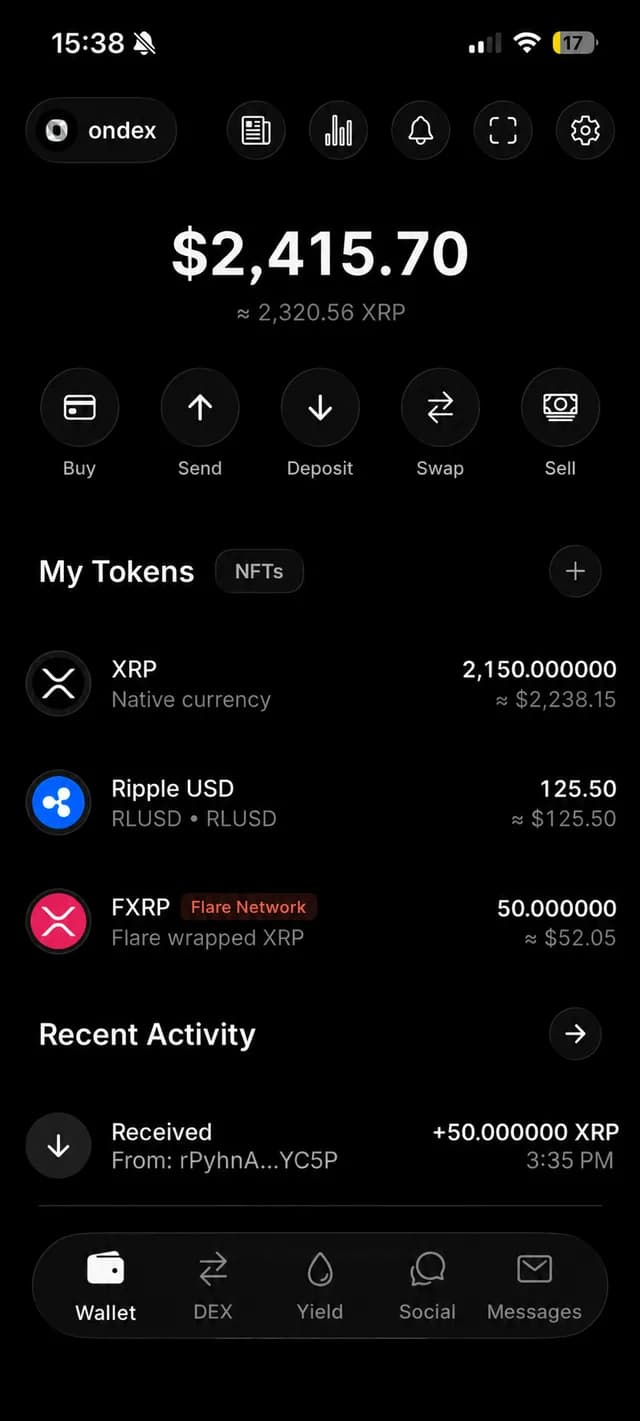
Ondex may fit users who want an iOS or Android self-custody interface for supported XRPL payments, issued assets, DEX and AMM flows, NFTs and compatible WalletConnect requests with on-device review. It is a hot mobile wallet and should be evaluated as such.
Dedicated hardware may fit better when isolating keys and requiring a physical signing device are your highest priorities. Compare current hardware support, backup procedure, firmware and the exact XRPL actions you need before purchasing.
Read the full source-backed comparison
For detailed comparisons of Ondex, Xaman, Ledger, Tangem, Trust Wallet and MetaMask-related XRP workflows, read the maintained article. It documents methodology, conflicts of interest and primary sources instead of declaring one universal winner.
Decision guide
Match the wallet to the job
Frequent XRPL use
Consider an XRPL-focused mobile wallet with clear transaction review.
Check: Verify issued assets, tags, DEX/AMM and dApp flows you actually use.
Long-term key isolation
Consider a dedicated hardware signer and a deliberate physical confirmation flow.
Check: Verify current XRPL app support, firmware and recovery procedure.
Many networks
Consider a multi-chain wallet when one interface matters more than XRPL depth.
Check: Do not assume XRP support includes every native XRPL transaction type.
Send and receive only
Prioritize backup clarity, destination tags and readable payment review.
Check: Test the recipient and tag flow with a small amount.
Active DEX or AMM
Prioritize full asset identity, route bounds, trustline and reserve visibility.
Check: Check how quotes expire and how the wallet handles issuer controls.
Recovery preference
Choose the backup model you can protect and restore without support.
Check: Complete and verify the backup before moving meaningful value.
Source-backed comparison
Compare the workflow, not a score
| Task | Ondex workflow | What to verify in any wallet |
|---|---|---|
| Payments | Send, receive and payment-request review.Ondex guide | Recipient, destination tag, asset identity, fees and recovery. |
| Limit orders | Place, inspect and cancel open offers.Ondex guide | A swap button alone does not demonstrate open-order management. |
| AMM positions | Review deposits, track LP holdings and withdraw.Ondex guide | Separate swap liquidity from LP deposits and withdrawals. |
| NFTs | XRPL NFT management alongside account assets.Ondex guide | Supported NFT actions and on-device transaction review. |
| WalletConnect | Compatible XRPL dApp sessions and request review.Ondex guide | Exact app, chain, method, session permissions and disconnect flow. |
| Messaging | Encrypted chat with separate messaging keys.Ondex guide | Recipient compatibility, public metadata and chat recovery. |
| Backup | Manual and encrypted backup options.Ondex guide | Restore procedure and what the provider cannot recover. |
| Hardware | Check the current supported signer and action before relying on hardware integration.Ondex guide | Key isolation, firmware, physical confirmation and recovery model. |
Continue with context
Related XRP Ledger guides
Evaluate Ondex as an XRP wallet
Review self-custody, backup and daily XRP workflows.
See the iPhone setup path
Check install, backup and device-side review.
Compare Ondex with Xaman
Use current primary sources and workflow differences.
Read the full XRP wallet comparison
See detailed product research, sources and methodology.
Practical answers
Frequently asked questions
Primary references
Ondex for iPhone and Android
Review first. Sign on your device.
Ondex is a self-custody wallet interface. Transactions are reviewed and signed on the user's device. Network, issuer, liquidity and third-party conditions can affect availability, fees, timing and outcomes. This page is informational and not financial advice.